Getting started
This page takes you from nothing installed to your first Lorenz run. It is for operators: you install the CLI, write a small WORKFLOW.md, and watch Lorenz poll a tracker and dispatch an agent. The fastest path needs no API key, so start there and add external trackers like Linear once you have seen a run work.
What you need
- Node 24 or newer. The published package declares
engines.nodeas>=24. - One tracker configured. Two get you running quickly:
- The local filesystem board (
kind: local) needs no credentials. Issues are Markdown files on disk. - Linear (
kind: linear) needsLINEAR_API_KEY.
- The local filesystem board (
- A coding agent on
PATHfor real runs:codexfor Codex, orclaudefor Claude Code. You can skip the agent for a--dry-run, which evaluates candidates without dispatching.
Install
Lorenz publishes to npm as the unscoped lorenz package, and the lorenz binary is its entrypoint. You do not clone the repository or build from source. Run the latest published version straight from npm:
npx lorenz WORKFLOW.md
Or install it globally and call lorenz directly:
npm install -g lorenz
lorenz WORKFLOW.md
Pin a version with npx lorenz@<version> WORKFLOW.md. Every GitHub release also attaches a runnable tarball, so npx https://github.com/ryanlyn/lorenz/releases/download/<tag>/<asset>.tgz WORKFLOW.md runs a specific build without the npm registry. The package bundles the web dashboard and the ACP bridges, so one npx lorenz gives you the CLI, both dashboards, and the tracker and agent integrations.
The examples below use npx lorenz. If you installed globally, drop the npx and call lorenz directly.
Fastest path: the local board, no API key
The local tracker stores each issue as a single Markdown file named <prefix><n>.md (default prefix BOARD-) under a board directory (default .lorenz/local). No network, no credentials.
1. Create a board issue
Make the board directory and a first issue. The format is YAML front matter (at minimum a status) followed by a # Title and a description:
<!-- .lorenz/local/BOARD-1.md -->
---
status: Todo
---

# Add a healthcheck endpoint

Add a GET /healthz route that returns 200 and the build SHA.
status: Todo is an active state, so Lorenz picks the issue up; Done and Cancelled are terminal. The file stem (BOARD-1) is the issue identifier.
2. Write a minimal WORKFLOW.md
A WORKFLOW.md has two parts: YAML front matter (config, between two --- lines) and a Markdown body (the agent prompt, rendered as Liquid). tracker.kind selects the tracker bundle, and the matching trackers.<name> block carries its options; provider names the implementation:
---
tracker:
  kind: local
trackers:
  local:
    provider: local
    path: .lorenz/local
agent:
  kind: codex
---
Fix the issue below.

Title: {{ issue.title }}
Description: {{ issue.description }}
Prompt variables are snake_case: issue.title, issue.description, issue.identifier, issue.state, issue.branch_name, and more. Leave the body blank and Lorenz falls back to a built-in default prompt, so a blank prompt is never truly empty.
3. Do a safe first run
Before dispatching a real agent, poll once and inspect what Lorenz would pick up:
npx lorenz --once --dry-run --no-tui WORKFLOW.md
--oncepolls a single time and exits instead of looping.--dry-runevaluates candidate issues without dispatching an agent.--no-tuidisables the terminal dashboard and prints JSON snapshots to stdout, the form you want for a non-interactive shell or a log.
When the output looks right, run for real:
npx lorenz WORKFLOW.md
Lorenz polls the board, dispatches the agent on each active issue, and writes status and comments back into the BOARD-<n>.md files through the local_* tools. The board directory the runtime polls and the directory the agent writes to are the same, so keep trackers.local.path pointing at the directory that holds your issue files. See the local board for the file format, the id prefix rules, and the tools.
Linear quickstart
Once you have seen a local run, point Lorenz at Linear.
1. Set credentials
export LINEAR_API_KEY=lin_api_...
trackers.linear.api_key falls back to LINEAR_API_KEY, and trackers.linear.assignee falls back to LINEAR_ASSIGNEE. The literal assignee me resolves to the API key's own user.
2. Write the workflow
Linear needs exactly one of project_slugs, project_labels, or project_slug. Prefer project_slugs (a list); project_slug (singular) is the deprecated single-slug form:
---
tracker:
  kind: linear
trackers:
  linear:
    provider: linear
    project_slugs:
      - my-project
agent:
  kind: codex
---
Fix the issue below.

Title: {{ issue.title }}
Description: {{ issue.description }}
The default endpoint is https://api.linear.app/graphql. Lorenz polls issues in the active states (default Todo and In Progress) and treats Closed, Cancelled, Canceled, Duplicate, and Done as terminal.
3. Run
npx lorenz --dry-run --no-tui WORKFLOW.md
If the credentials and project resolve, drop the flags to run live. npx lorenz doctor WORKFLOW.md validates the workflow, the dispatch config, and that the agent CLI is discoverable before you start.
What a run looks like
Both dashboards run by default. The web dashboard listens on port 4040 (override with --port); the terminal TUI renders when stdout is a TTY. Disable either with --no-dashboard or --no-tui.
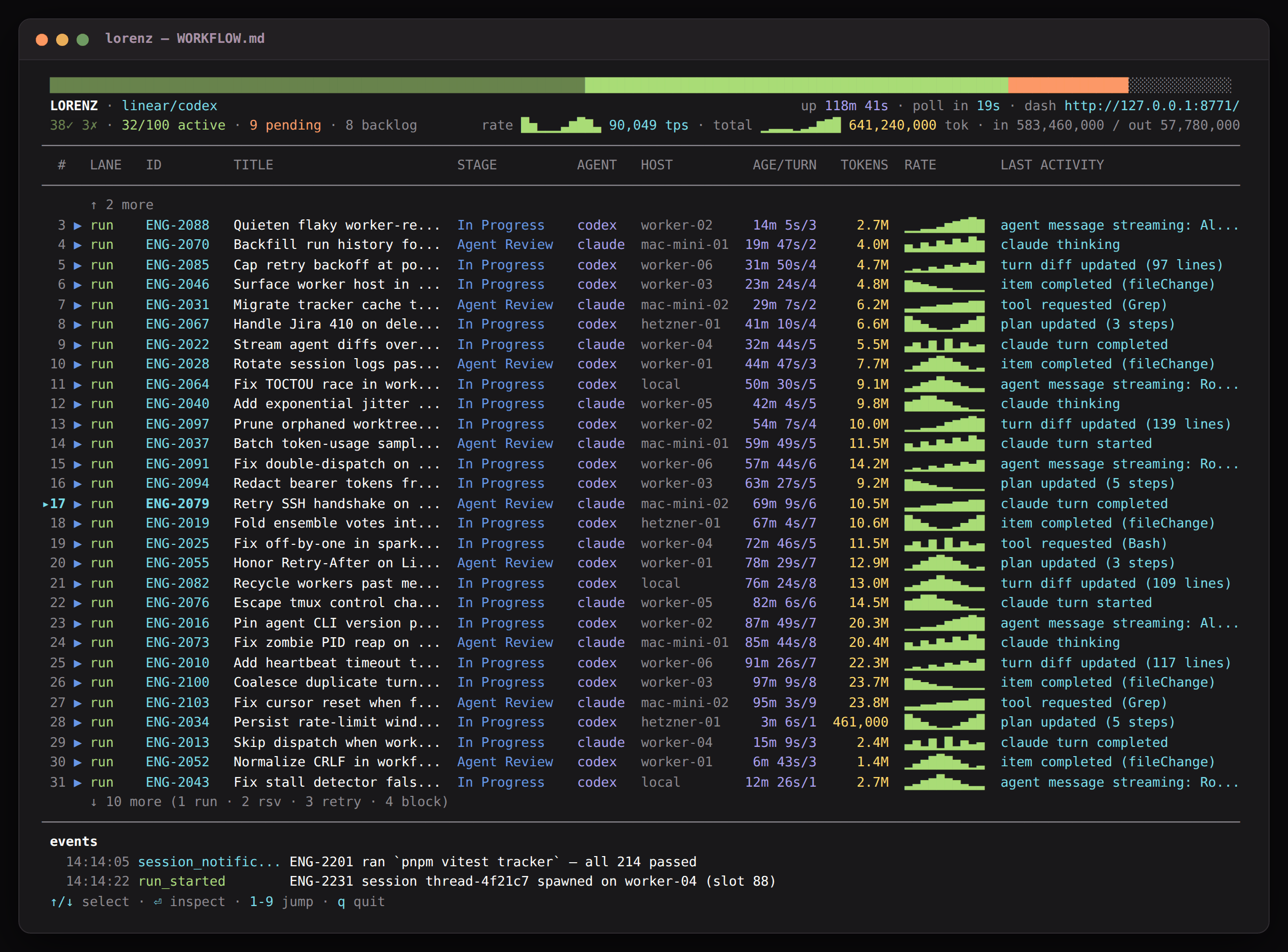
The TUI shows live issue, agent, and dispatch state in the terminal.
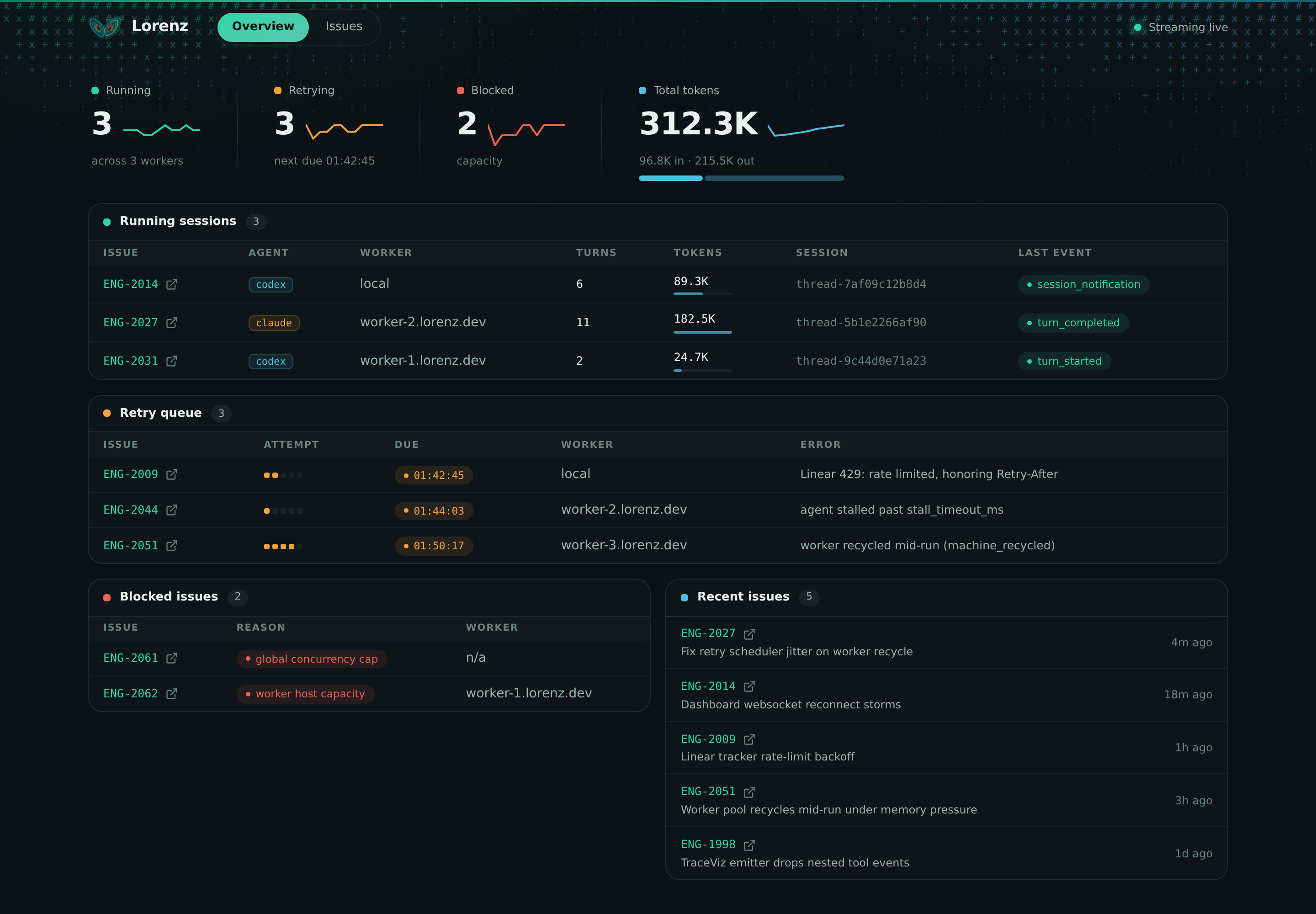
The web dashboard serves the same run state over HTTP, with per-run trace history.
Query completed runs from a separate shell with lorenz runs (it reads the same observability API):
npx lorenz runs --failed --port 4040
How the CLI resolves the workflow
With no path argument, the CLI reads LORENZ_WORKFLOW (absolute path used as-is, relative joined to the current directory), then falls back to ./WORKFLOW.md. The runtime re-reads the workflow before each poll, so edits to config or prompt take effect on the next tick. If a reload fails, the runtime keeps the last good settings and records a workflow_reload_failed event. If startup cannot read or parse the workflow, the CLI exits with an error.
See also
- CLI - every command and flag, exit codes, and the
runsanddoctorsubcommands. - Workflows - the full
WORKFLOW.mdformat, front matter, and prompt body. - Trackers - the tracker backends and how dispatch reads from them.
- Local board - the on-disk format, tools, and options behind
kind: local. - Linear - project selection, credentials, and the
linear_graphqltool. - Troubleshooting - common first-run failures and how to read them.